Smart Outdoor Lighting Ideas for Austin Homes
Austin has always been a city that adopts new technology faster than most. We were early on rideshare apps, electric vehicles, solar panels, and smart thermostats. If there's a way to make something work better through your phone, someone in a house off South Lamar or out in Dripping Springs is already doing it.
So it makes sense that when it comes to outdoor lighting, the question Austin homeowners ask isn't just "what color?" or "how bright?" anymore. The question is: "How smart is it?"
The answer, if you're working with the right system, is surprisingly smart. We're talking about outdoor lighting that knows what time the sun sets tonight (not last week), adjusts itself by zone, responds to motion without blinding everyone on the patio, and lets you pre-program months of holiday colors without ever climbing a ladder. And the best part? Once you set it up, you barely have to think about it again.
Let's walk through what "smart" actually looks like for permanent outdoor lighting on an Austin home, and why the homeowners who have it tend to wonder how they ever lived without it.
App Control: Your Entire Home's Exterior in Your Pocket
The foundation of smart outdoor lighting is the app. With TruLight's system, your phone becomes the control center for every single light on your roofline, soffit, patio, and garage. Colors, brightness, scheduling, zones, scenes: it all lives in one place.
Here's what that looks like in practice. You're sitting inside on a Thursday evening and realize you left the backyard lights at full brightness from the weekend. Open the app, slide the brightness down to 30%, done. Takes about four seconds. Or your neighbor texts that they're swinging by in 20 minutes, and you want the front of the house to look particularly sharp. Pull up your "warm welcome" preset, tap once, and your entry lights shift to a warm white glow at 80% brightness while the rest of the house stays at its normal evening setting.
The app gives you control over individual colors (any shade from the full RGB spectrum plus dedicated warm white), brightness levels from 0% to 100%, and the ability to save unlimited presets. But what makes it genuinely useful rather than just impressive is that most of the control happens automatically. More on that in a moment.
For a city full of people who already manage their Nest thermostat, Ring doorbell, and Sonos speakers from their phone, adding exterior lighting to that ecosystem feels natural. It's the outdoor piece that was always missing from the smart home setup.
Sunset Automation That Thinks for Itself
If you've ever owned a basic outdoor light timer, you know the problem. You set it for 7:30 PM in April and forget about it. By June, the lights are clicking on while the sun is still blazing at 8:30 PM. By December, your home sits dark for two full hours after sunset because the timer doesn't know it's winter.
Austin's daylight swing is significant. In late December, the sun sets around 5:30 PM. By late June, it's still light out past 8:40 PM. That's a three-hour swing across the year, and any lighting system running on a fixed clock is going to miss the mark for most of it.
TruLight's automation solves this by tracking actual sunset times for your exact location. Not a regional average, not a zip code estimate, but your specific GPS coordinates. The system recalculates every day. So in mid-June, your lights ease on at 8:45 PM as the sky begins to dim. In mid-December, they're already glowing by 5:15 PM when you pull into the driveway after work. The transition from daylight to your evening lighting scene happens naturally, meeting the evening exactly where it is.
You set this once. Then the system handles every sunset for every season without a single manual adjustment. For Austin homeowners who live here year-round and spend evenings outside from February through November, this kind of set-and-forget intelligence removes one more thing from the mental to-do list.
Zone Control: Different Sections, Different Jobs
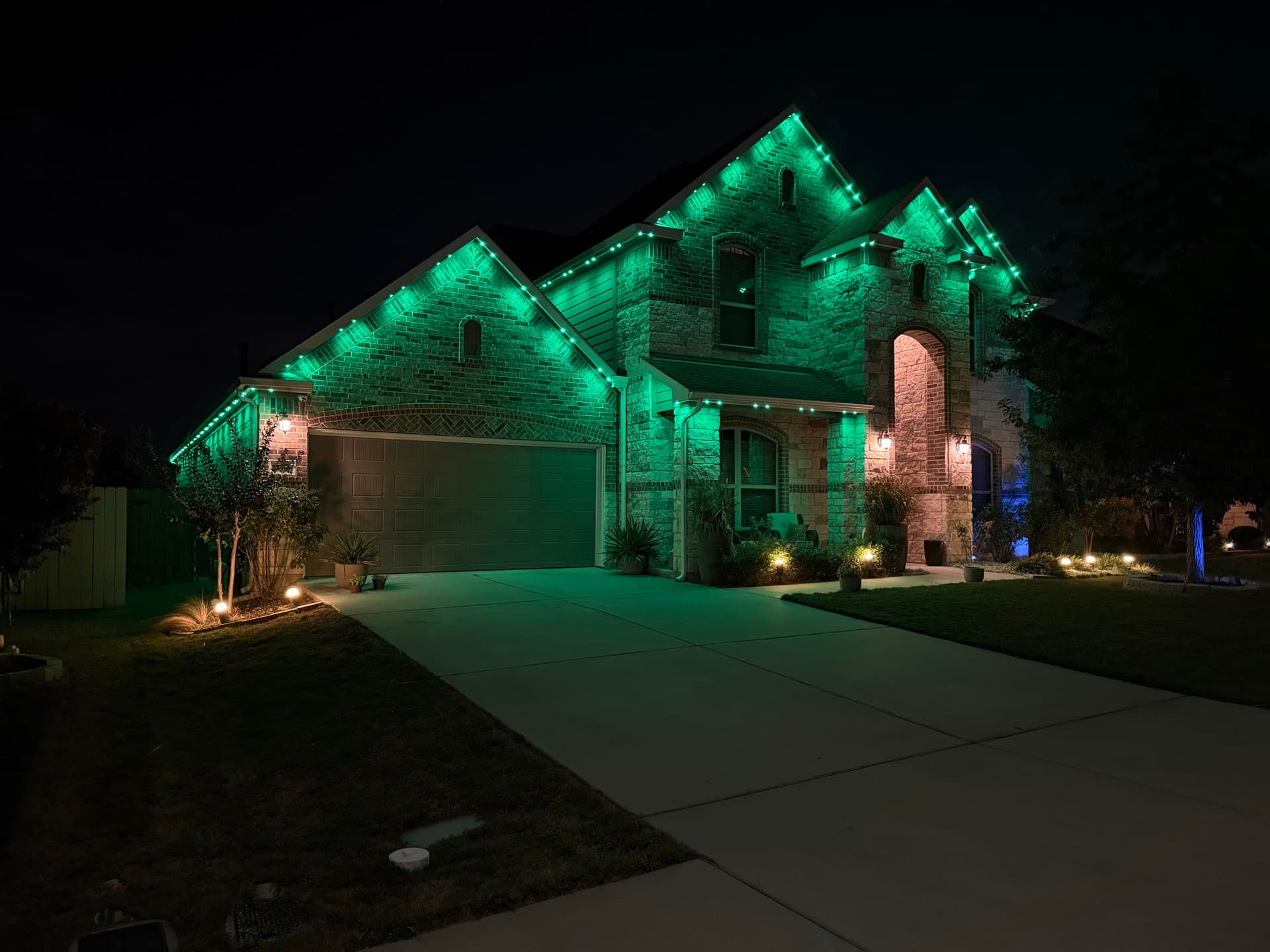
This is where permanent smart lighting starts to feel like a real upgrade over anything else on the market. Zone control means your home's lighting isn't one big on/off switch. It's a collection of independently controlled sections, each doing exactly what you need it to do.
Picture a typical Austin home. The front roofline faces the street. The garage is off to one side. There's a covered patio in the back, maybe a pergola or outdoor kitchen area, a side yard with a gate, and a back fence line. In a standard lighting setup, all of those areas do the same thing at the same time. Lights on, lights off. One color, one brightness.
With zone control, each of those areas operates independently:
Front roofline: Warm white at 70% from sunset to midnight for clean, architectural curb appeal. Dims to 20% after midnight so you're not flooding the street while the neighborhood sleeps.
Garage: Warm white at 50% normally, but programmed to brighten to full when it detects motion. Practical for unloading groceries. Reassuring when you hear something outside at 11 PM.
Backyard patio: Soft amber at 40% for evening hangouts. Switches to warm white at 80% when you're grilling. Drops to 15% after 10 PM on weeknights.
Side yard/gate: Minimal light normally (just enough to navigate), with motion-triggered brightening for security.
Back fence line: Off most of the time, or a gentle 10% glow for depth. Can be turned up for gatherings when you want the whole yard lit.
Each zone runs on its own schedule, responds to its own triggers, and can be adjusted independently without affecting anything else. The front of your house can be celebrating Halloween in orange and purple while the back patio runs a quiet warm white for the dinner you're hosting. That kind of flexibility changes how you think about your home's exterior.
Motion Sensors: Security That Doesn't Kill the Mood
Traditional motion-activated security lights operate on one principle: something moves, lights blast on at maximum brightness, then they shut off 30 seconds later. It's startling, it's ugly, and after the tenth time a cat triggers it, you start ignoring it entirely, which defeats the purpose.
TruLight's integrated motion sensors take a smarter approach. Instead of a binary on/off response, you program exactly what each zone does when it detects movement. The options are more thoughtful than you'd expect.
Say your side yard is running at 15% warm white as part of your normal evening scene. Someone (or something) approaches the gate. The system detects motion and smoothly ramps those lights up to 60% over two seconds. It holds that level for 30 seconds after the last detected movement, then gradually eases back down to 15%. There's no sudden flash, no jarring transition. Just a deliberate, noticeable brightening that says "this home is paying attention."
That gradual response is actually more effective as a deterrent than a blinding floodlight. A sudden blast reads as automatic and reactive. A smooth, intentional brighten reads as someone watching, someone in control. The psychology is different.
And here's the part that matters for everyday life: you can set different motion responses for different zones and different times of day. During the evening while you're on the back patio, maybe you want the front entry to brighten for arriving guests, creating a welcome effect rather than a security alert. After midnight, that same zone shifts to a more assertive response because any motion at that hour is worth noticing.
Security and ambiance, running on the same hardware, managed through the same app. No separate floodlight system to install, maintain, or replace.
Scheduling: Set Your Calendar Months Ahead
This is the feature that surprises people the most, not because it's complicated, but because of how much time it saves once you start using it.
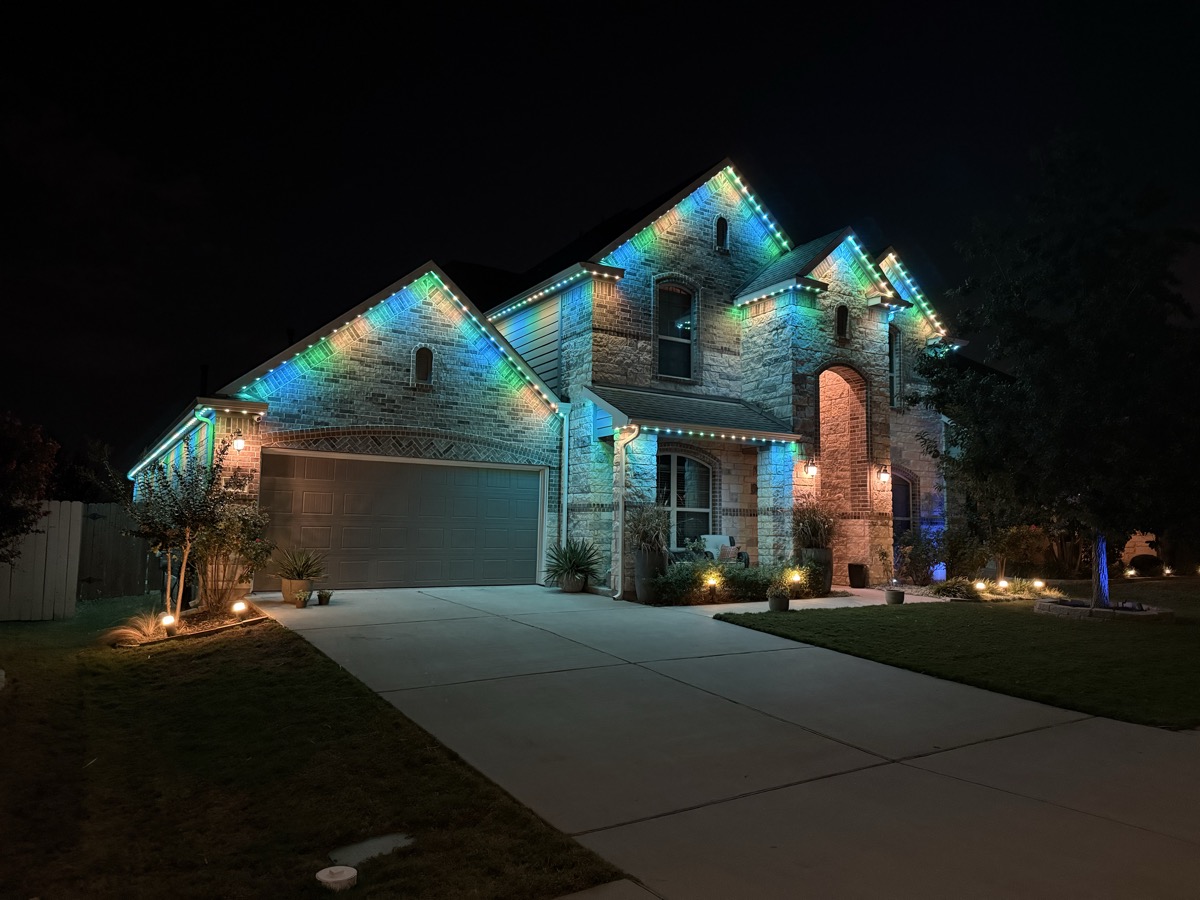
TruLight's scheduling lets you pre-program lighting scenes for specific dates and date ranges. And for a city like Austin that celebrates everything from ACL to Diwali to Longhorns game days to holiday season, the ability to schedule months of lighting in advance is quietly transformative.
Here's a practical example. It's September, and you sit down with the app for maybe 15 minutes. You program:
October 1-31: Front roofline shifts to a warm orange and deep amber scheme for Halloween season. Back patio stays on its normal warm white.
November 1-27: Front returns to warm white with harvest gold accents.
Thanksgiving week: Full warm amber across the whole house. Feels festive without looking like a holiday display.
Wondering what it would cost for your home? Get an instant estimate using our satellite tool. No visit required.
Get Your Free QuoteDecember 1 through January 2: Holiday colors. Maybe classic red and green. Maybe cool white and blue. Maybe warm white with gold accents. Whatever your family does, it's programmed once and runs on its own for five weeks.
January 3: Everything automatically returns to your default warm white evening scene.
No climbing a ladder in November. No untangling string lights in the garage. No standing outside in 40-degree weather (Austin's version of cold) trying to clip bulbs to the gutters. No forgetting to take the holiday lights down until Valentine's Day.
You programmed it once. It ran itself. It turned itself off. And the whole time, your home looked intentional and put-together from the street. For the price of 15 minutes on your couch.
Scene Presets: Your Lighting Wardrobe
Think of scene presets like outfits for your home. You don't pick your clothes from scratch every morning. You have go-to combinations that work for different situations. Scene presets work the same way for your lighting.
Most TruLight homeowners end up with four to six presets they rotate through:
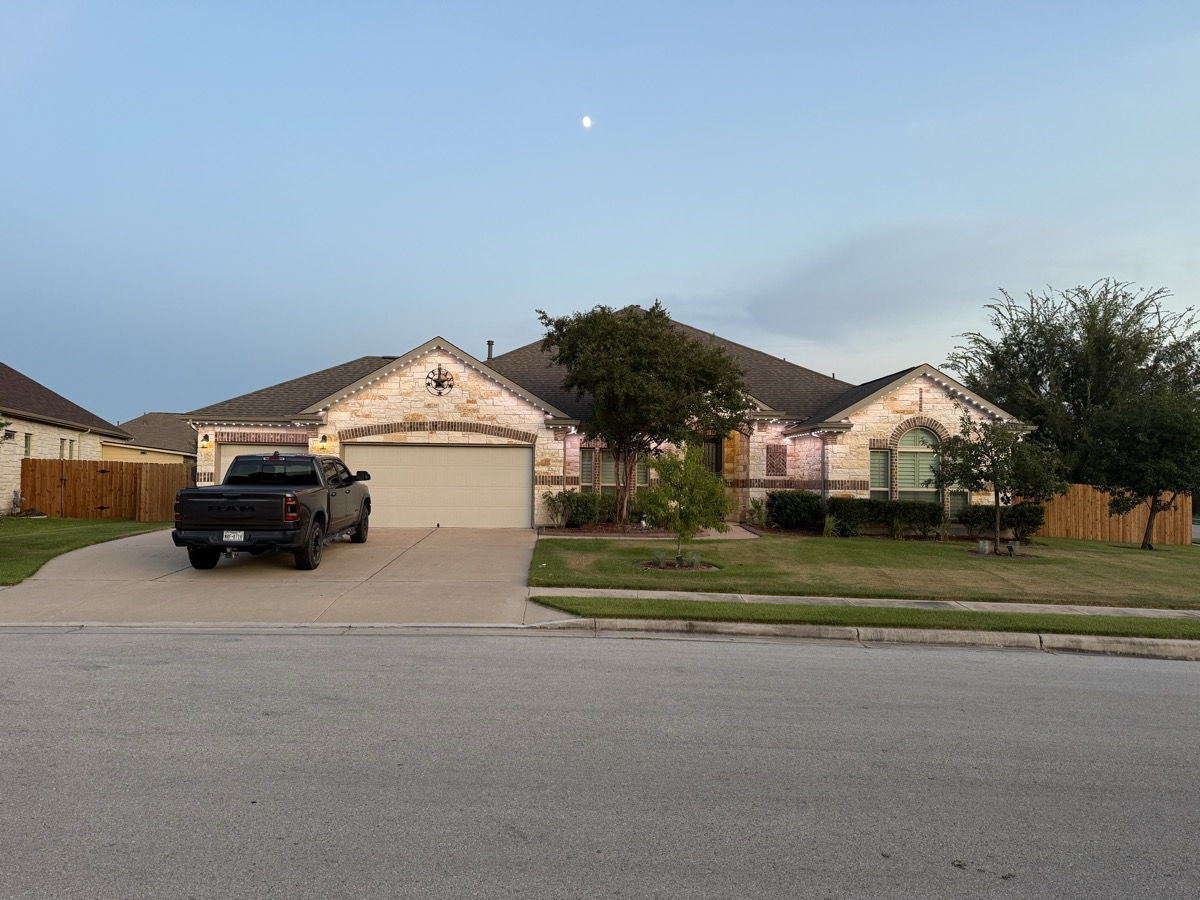
Everyday warm white. The one that runs 80% of the time. Clean, warm, architectural. It makes your home look polished from the street without calling attention to itself. On Austin's limestone and stucco exteriors, warm white is particularly flattering because it enhances the natural warmth of the stone. This is the preset most people set and leave alone for weeks at a time.
Party mode. Whatever your version of a good time looks like. Burnt orange for a Longhorns watch party. Purple and teal for a birthday celebration. Slow-cycling warm colors for a backyard dinner party. The RGBW system with 6 LEDs per node (3 RGB + 3 dedicated warm white) gives you the full color spectrum plus the ability to blend color accents with real warm white for combinations that standard RGB systems can't replicate.
Security/bright white. All 6 LEDs firing together produce a true pure white that's 2 to 3 times brighter than a standard 3-LED system. This is your "light up the whole yard" preset for nights when you want maximum visibility. Running all 6 LEDs blends the warm white channel with the RGB channel to create a genuine pure white that no RGB-only system can match.
Late-night dim. Warm white at 10-15% brightness. Just enough light for safety and navigation, but quiet enough that it doesn't disturb the neighborhood or leak into bedroom windows. Perfect for the hours between midnight and sunrise.
Holiday. Pre-programmed for whatever celebration is next on the calendar. One tap shifts the house into full holiday mode, and one tap brings it back.
The beauty of presets is that they're fast. One tap, your whole house changes. No adjusting individual zones, no dialing in colors manually. You built the look once, saved it, and now it's always one tap away.
Energy Efficiency at Austin Energy Rates
Smart lighting isn't just about convenience and aesthetics. It's also about not paying more than you need to.
TruLight's 48-volt system runs on LED technology rated for over 100,000 hours of operation. For context, if you ran the system for 8 hours every night, that's over 34 years before you'd need to think about the LEDs. The 48V architecture is more efficient than the 12V or 24V systems most competitors install, which means longer runs from a single power source without the extra injection points that 12V or 24V systems need on bigger homes.
But the real energy savings come from the smart features themselves. Sunset automation means your lights aren't running when they don't need to be. Zone control means you're not lighting the entire house at full power when you only need the patio lit. Scheduling means the system dims itself after midnight instead of running at full brightness until sunrise. Motion-based brightening means areas that don't need constant light only draw significant power when something actually triggers them.
Austin Energy rates fluctuate, and the smart grid compatibility of a modern LED system means your lighting works with, not against, the local power infrastructure. When you add up the efficiency of LEDs, the intelligence of automated scheduling, and the zone-by-zone control that prevents wasted power, the operating cost of TruLight's system is a fraction of what most people expect.
Over the life of the system, the energy savings compared to traditional landscape lighting, string lights, or even older LED systems add up meaningfully. It's not the primary reason most homeowners choose smart permanent lighting, but it's a welcome side benefit that shows up on every electric bill.
Smart Home Integration: One More Piece of the Puzzle
If you already have a smart home ecosystem running, TruLight's system fits right into it. The lighting talks to the platforms Austin's tech-savvy homeowners are already using, so you can trigger your outdoor lights from the same routines and voice commands that control everything else in the house.
Tell your smart assistant "good night," and your interior lights dim, the thermostat adjusts, the doors lock, and your outdoor lighting shifts to its late-night security preset. Pull into the driveway and your geo-fenced routine triggers a welcome scene that brightens the entry, lights the path to the door, and illuminates the garage. Leave for vacation and your lighting continues running on its normal schedule, making the house look occupied every single evening while you're away.
For a city where the average homeowner already has four or five connected devices, adding outdoor lighting to that network isn't an extra layer of complexity. It's the piece that completes it. Your home's interior is already smart. Now the exterior matches.
The "Set It and Forget It" Reality
Here's the honest truth about smart outdoor lighting that might surprise you: after the initial setup, most people barely touch the app.
That's not a criticism. It's actually the whole point.
You spend maybe 30 to 45 minutes during the first week after installation dialing in your presets, setting your schedules, configuring your motion zones, and building out your seasonal calendar. Maybe you tweak a few things over the next couple of weeks as you see how it all looks at different times of night.
And then... you're done. The system handles the rest. The sunset automation adjusts itself. The schedules run on their own. The motion sensors do their thing. Your holiday colors turn on when you programmed them to and turn off when you told them to. The everyday warm white runs every evening without you thinking about it.
Occasionally you'll open the app to change something for a specific event or to try a new color for fun. But the day-to-day operation is entirely automatic. Which, for busy Austin homeowners juggling work, kids, social calendars, and everything else, is exactly what "smart" should mean. Not more things to manage. Fewer things to think about.
TruLight's system is built on a 48V architecture with 6 LEDs per node, backed by a lifetime warranty. It's installed once, permanently, on your roofline and soffits. No seasonal setup, no bulbs to replace, no timers to fiddle with. Just a home that looks exactly the way you want it to, every evening, all year, without asking anything of you.
For a city that runs on efficiency, independence, and doing things the smart way, that feels about right.
Related Articles
Ready to Make Your Austin Home Smarter After Dark?
TruLight Austin installs permanent smart lighting systems designed for the way you actually live. One installation. Full app control. Year-round automation. Schedule a free consultation and see what your home looks like with the lights on.
Get a Free QuoteReady to Light Up Your Home?
Use our light preview tool to see your home in warm white, holiday colors, and more. Then get your free instant quote.
Get Your Free Quote Instantly